
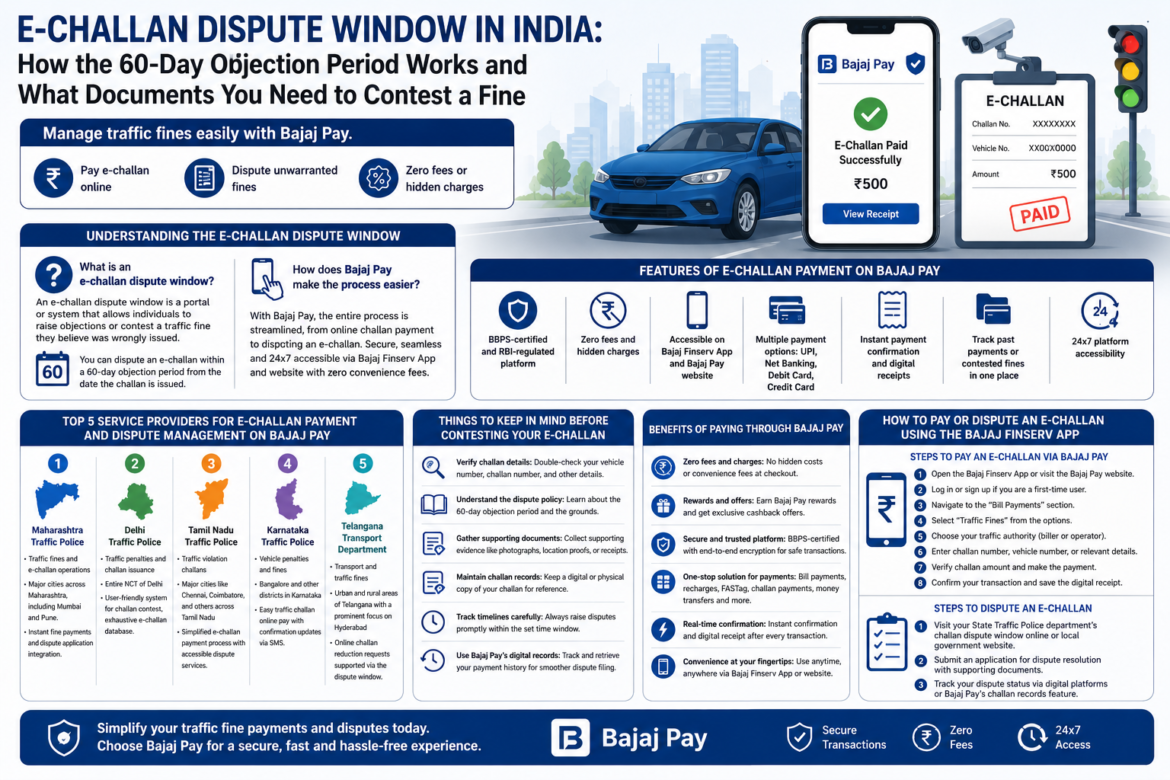
Managing traffic fines has become more accessible and user-friendly with the digitization of the e-challan system in India. This system streamlines challan payment online, allowing violators to conveniently pay fines or contest unwarranted penalties through a dispute window. With platforms like Bajaj Pay — a BBPS-enabled facility available on both the Bajaj Finserv App and website — paying or managing your e-challan comes with zero fees or hidden charges, ensuring a hassle-free experience.
Understanding the E-Challan Dispute Window in India
What is an e-challan dispute window?
An e-challan dispute window is a portal or system that allows individuals to raise objections or contest a traffic fine they believe was wrongly issued. Typically, you can dispute an e-challan within a 60-day objection period from the date the challan is issued. This process ensures checks and fairness, giving citizens the right to provide evidence or justification against an alleged traffic violation.
How does Bajaj Pay make the process easier?
With Bajaj Pay, the entire process is streamlined, from challan payment online to disputing an e-challan. Bajaj Pay leverages its BBPS-enabled infrastructure, certified and regulated by the RBI, to provide you with a secure and seamless user experience. Whether you need to pay your traffic fine or gather records for contesting a challan, Bajaj Pay is your one-stop solution. The platform is accessible 24×7 via the Bajaj Finserv App and website and doesn’t charge any convenience fees, making both payment and dispute resolution more convenient and economical.
Features of E-Challan Payment on Bajaj Pay
Secure and regulated platform
BBPS-certified and RBI-regulated platform ensuring secure transactions.
Cost-effective transactions
Zero fees and hidden charges—complete transparency in every transaction.
Easy accessibility
Usable on the Bajaj Finserv App or Bajaj Pay website, making it easily accessible.
Multiple payment methods
Multiple payment options, including UPI, Net Banking, Debit Card, and Credit Card.
Instant confirmation and records
Instant payment confirmation and digital receipts for your records.
The ability to track all your past payments or contested fines in one place.
24×7 availability
Round-the-clock platform accessibility to manage payments at your convenience.
Top 5 Service Providers for E-Challan Payment and Dispute Management on Bajaj Pay
1. Maharashtra Traffic Police
- Category: Traffic fines and e-challan operations
- Coverage: Major cities across Maharashtra, including Mumbai and Pune.
- Features: Instant fine payments and dispute application integration.
2. Delhi Traffic Police
- Category: Traffic penalties and challan issuance
- Coverage: Entire NCT of Delhi
- Features: User-friendly system for challan contest, exhaustive e-challan database.
3. Tamil Nadu Traffic Police
- Category: Traffic violation challans
- Coverage: Major cities like Chennai, Coimbatore, and others across Tamil Nadu
- Features: Simplified e-challan payment process with accessible dispute services.
4. Karnataka Traffic Police
- Category: Vehicle penalties and fines
- Coverage: Bangalore and other districts in Karnataka
- Features: Easy traffic challan payment online with confirmation updates via SMS.
5. Telangana Transport Department
- Category: Transport and traffic fines
- Coverage: Urban and rural areas of Telangana with a prominent focus on Hyderabad
- Features: Online challan reduction requests supported via the dispute window.
Things to Keep in Mind Before Contesting Your E-Challan
Verify challan details
Verify the details: Double-check your vehicle number, challan number, and other details on the traffic police website or Bajaj Pay platform.
Understand the objection policy
Understand the dispute policy: Learn about the 60-day objection period and the grounds for raising an e-challan dispute.
Gather supporting documents
Collect supporting evidence: Gather documents like photographs, location proofs, or receipts to strengthen your contestation case.
Maintain challan records
Keep your challan record handy: Retain a digital or physical copy of your challan for quick reference during the dispute process.
Track timelines carefully
Monitor deadlines carefully: Always raise disputes promptly within the set time window to avoid automatic penalties.
Use digital payment history
Use Bajaj Pay’s digital records: With Bajaj Pay, track and retrieve your payment history for smoother dispute filing and reference purposes.
Benefits of Paying Through Bajaj Pay
Zero fees and charges
Zero fees and charges: Whether you’re paying an e-challan or carrying out other payments, Bajaj Pay ensures no hidden costs or convenience fees at checkout.
Rewards and offers
Earn rewards and access exclusive offers: Eligible transactions can earn you Bajaj Pay rewards, and special cashback promotions are frequently updated in the Offers section.
Secure and trusted infrastructure
Secure and trusted platform: Being BBPS-certified and backed by Bajaj Finserv’s financial infrastructure, Bajaj Pay practices robust security protocols, including end-to-end encryption to protect all transactions.
One-stop payment solution
One-stop solution for payments: Bajaj Pay supports a vast array of services, including bill payments, recharges, FASTag payments, challan payment online, and even money transfers—all from a single platform.
Real-time transaction updates
Real-time confirmation: After each transaction, you receive instant confirmation along with a digital receipt that can be saved for future reference or disputes.
Anytime, anywhere access
Convenience at your fingertips: The service is available both via the Bajaj Finserv App and website, so you can transact anytime, anywhere.
How to Pay or Dispute an E-Challan Using the Bajaj Finserv App
Steps to Pay an E-Challan via Bajaj Pay
Step 1: Open the Bajaj Finserv App
Open the Bajaj Finserv App on your smartphone or visit the Bajaj Pay website in your browser.
Step 2: Log in or sign up
Log in using your registered mobile number, or sign up if you are a first-time user.
Step 3: Go to Bill Payments
Navigate to the “Bill Payments” section on the home screen of the app or website.
Step 4: Select Traffic Fines
Select “Traffic Fines” from the available options.
Step 5: Choose the traffic authority
Choose your traffic authority (biller or operator) from the list provided.
Step 6: Enter challan details
Enter your challan number, vehicle number, or relevant details to retrieve your e-challan information.
Step 7: Complete the payment
Verify the challan amount and proceed to make the payment by selecting your preferred payment method (UPI, Net Banking, Debit Card, or Credit Card).
Step 8: Save the receipt
Confirm your transaction and save or share the digital receipt for future reference.
Steps to Dispute an E-Challan
Step 1: Visit the official dispute portal
Visit your State Traffic Police department’s challan dispute window online or the relevant local government website.
Step 2: Submit supporting documents
Submit an application for dispute resolution, along with any supporting documents (such as photographs, transaction proofs, or parking receipts, if applicable).
Step 3: Track dispute status
Track your dispute status easily through digital platforms or Bajaj Pay’s challan records feature.
Conclusion
The e-challan dispute window is an excellent initiative to ensure fairness and transparency in traffic fine management. With solutions like challan payment online available through Bajaj Pay, users get an efficient, secure, and cost-effective platform to clear fines or maintain records for contesting challenges. Thanks to features like zero fees, instant confirmations, and 24×7 accessibility via the Bajaj Finserv App or website, managing your traffic fines has never been easier. Simplify your e-challan payments and disputes today by switching to Bajaj Pay!
