
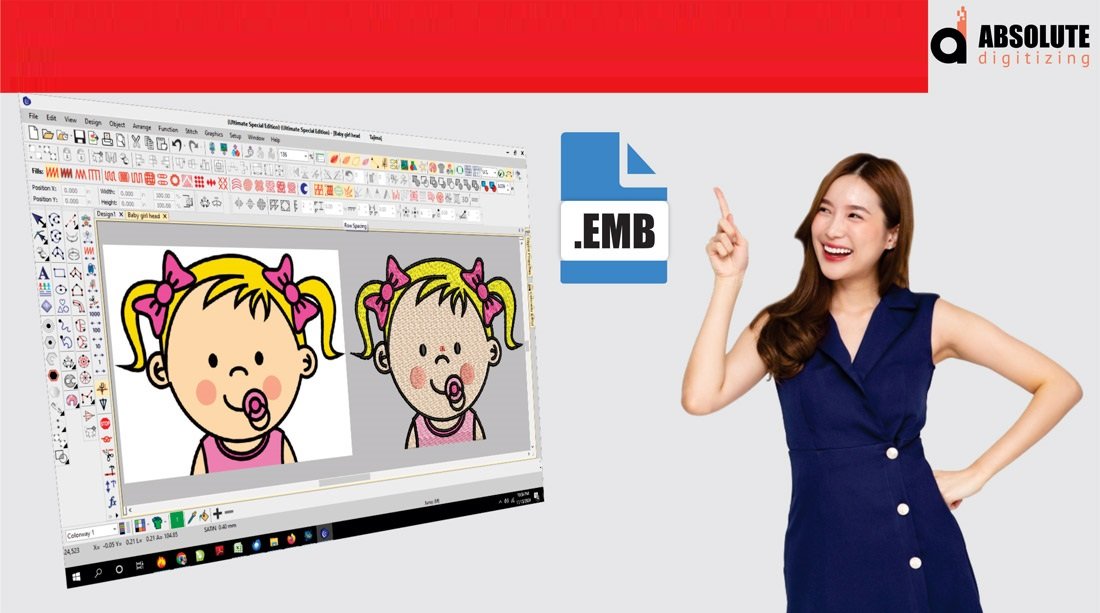
EMB Embroidery File Format
Introduction
If you’ve ever worked with embroidery machines or digitizing software, you’ve probably come across a long list of embroidery file formats. Some are simple machine files, while others contain much more detailed design information.
Among these formats, the EMB embroidery file format stands out because it acts like a master design file for embroidery projects.
Think of it like the difference between a finished cake and the full recipe. A regular machine file may only contain stitching instructions, but an EMB file stores the editable design details behind the scenes.
For embroidery digitizers, designers, and embroidery businesses, understanding the EMB embroidery file format is incredibly important for editing, resizing, and managing professional embroidery designs.
In this guide, we’ll explain what the EMB file format is, how it works, and why it matters in embroidery digitizing.
What Is the EMB Embroidery File Format?
The EMB embroidery file format is an editable embroidery design file used in embroidery digitizing software.
Unlike standard machine files that only contain stitch commands, EMB files store additional design information such as:
- Stitch settings
- Object properties
- Thread colors
- Underlay details
- Design layers
- Editing data
This makes EMB files highly useful for modifying and improving embroidery designs later.
Why EMB Files Are Important
EMB Files Preserve Editable Data
Many embroidery machine formats lose editable information after export.
An EMB file keeps the original design structure intact, making it easier to:
- Resize designs
- Edit lettering
- Adjust stitch density
- Change thread colors
- Modify stitch types
This flexibility is extremely valuable for professional embroidery digitizing.
Better Workflow for Digitizers
Imagine accidentally losing the editable version of a design and only having the final stitch file left. Editing becomes much harder.
That’s why professional digitizers often keep EMB files as backup master files for future adjustments.
At Absolute Digitizing, maintaining editable embroidery files helps improve workflow efficiency and simplifies design revisions.
Features of the EMB Embroidery File Format
Editable Object-Based Design
One major advantage of EMB files is object-based editing.
Instead of treating embroidery as one solid design, EMB files separate elements into editable objects.
Editable Elements Include
- Text
- Shapes
- Fill patterns
- Satin stitches
- Underlay settings
This makes detailed design adjustments much easier.
Thread Color Information
EMB files store thread color data for embroidery designs.
This helps maintain consistent branding and accurate color matching during production.
Stitch Density Control
Digitizers can easily modify stitch density within EMB files.
Why This Matters
Balanced stitch density helps prevent:
- Thread breaks
- Fabric puckering
- Bulky embroidery
- Uneven stitching
Proper density adjustments improve overall embroidery quality.
Layer Management
Much like graphic design software, EMB files often organize embroidery elements into layers.
This allows digitizers to edit individual sections without affecting the entire design.
EMB File Format vs Machine Embroidery Files
EMB Files Are Editable
Machine files are designed mainly for embroidery machines, while EMB files are designed for editing and design control.
EMB File Benefits
- Editable
- Flexible
- Better for revisions
- Stores detailed settings
Machine Files Are Production Files
Formats like DST or PES mainly focus on machine stitching instructions.
They usually do not store advanced editing information.
Think of machine files as “final exports” while EMB files act as the editable working project.
Common Uses for EMB Files
Logo Embroidery
Businesses often need logo updates, resizing, or color adjustments.
Keeping an EMB file makes future modifications much easier.
Left Chest Digitizing
Small embroidery placements often require ongoing design adjustments.
Editable EMB files help digitizers refine:
- Lettering
- Stitch density
- Underlay
- Spacing
Patch Embroidery
Patch production frequently involves testing and revisions.
EMB files allow easier border adjustments and stitch optimization.
Advantages of Using EMB Files
Easier Design Editing
EMB files simplify changes without needing to recreate designs from scratch.
Improved Design Quality
Editable settings help digitizers optimize embroidery for different:
- Fabrics
- Garments
- Stitch types
- Thread styles
Better Long-Term Design Management
Saving EMB master files helps businesses maintain organized embroidery archives for future use.
At Absolute Digitizing, preserving editable embroidery files supports efficient revisions and high-quality embroidery production.
Common Problems When EMB Files Are Missing
Limited Editing Options
Without EMB files, digitizers may need to rebuild designs manually.
This increases:
- Production time
- Editing difficulty
- Risk of quality loss
Resizing Issues
Machine stitch files often do not resize properly without damaging stitch quality.
Editable EMB files make resizing safer and more accurate.
Difficulty Adjusting Stitch Settings
Without editable data, changing stitch density or underlay becomes far more complicated.
Tips for Managing EMB Embroidery Files
Always Save the Original EMB File
Never rely only on exported machine files.
Keep the editable EMB version safely backed up.
Organize Design Folders Properly
Use clear folder names for:
- Customers
- Logo versions
- Design revisions
- Garment types
Good organization saves time later.
Backup Files Regularly
Hard drive failures happen unexpectedly.
Cloud backups or external storage can protect important embroidery designs.
How Professional Digitizing Uses EMB Files
Professional embroidery digitizers rely on EMB files for:
- Design revisions
- Stitch optimization
- Lettering adjustments
- Fabric-specific modifications
- Quality control
At Absolute Digitizing, editable embroidery files help create smoother production workflows and more accurate embroidery results.
Conclusion
The EMB embroidery file format plays a major role in professional embroidery digitizing because it stores editable design information that machine files cannot fully preserve.
From stitch density and thread colors to underlay and object editing, EMB files provide the flexibility needed for high-quality embroidery production and future design updates.
Whether you are creating logos, patches, or left chest embroidery, keeping editable EMB files helps improve efficiency, maintain design quality, and simplify revisions.
And with professional embroidery digitizing support from Absolute Digitizing, managing embroidery files and achieving clean production results becomes much easier.
FAQs
What is an EMB embroidery file?
An EMB file is an editable embroidery design file that stores detailed digitizing information like stitches, colors, and object properties.
Why is the EMB file format important?
The EMB format allows embroidery designs to remain editable for resizing, stitch adjustments, and future revisions.
Can embroidery machines read EMB files directly?
Most embroidery machines require exported machine formats like DST or PES instead of EMB files.
What is the difference between EMB and DST files?
EMB files are editable design files, while DST files mainly contain machine stitching instructions.
Should I keep my EMB embroidery files?
Yes. Keeping EMB files allows easier editing, resizing, and future embroidery design modifications.
