
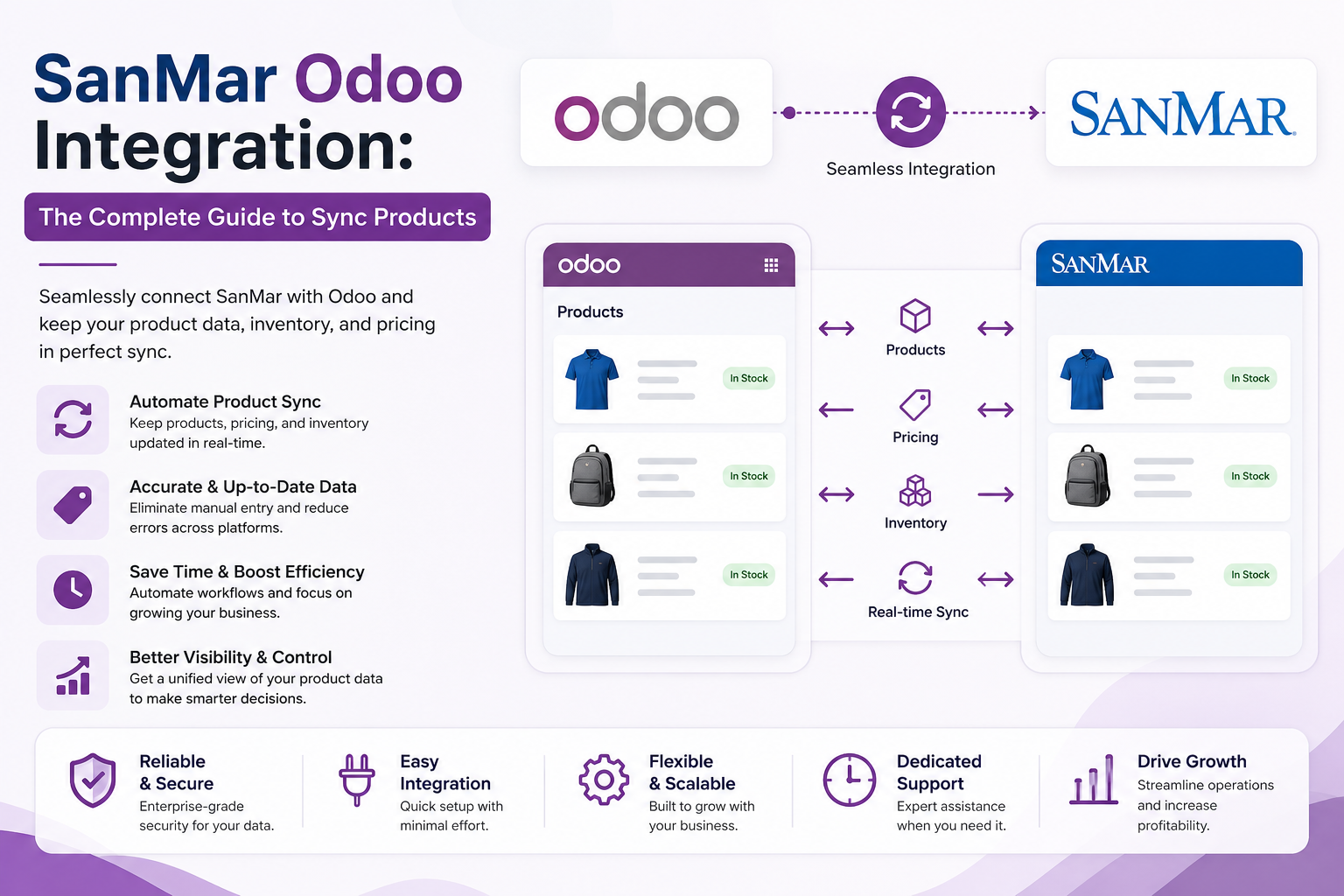
SanMar carries tens of thousands of products across more than 20 brands, from Port Authority and Sport-Tek to Gildan, Bella+Canvas, Nike, and Carhartt. For a decorator or promotional products business, that catalog is the engine of the storefront. But here’s the catch. The moment you try to run that catalog by hand inside Odoo, copying SKUs, sizes, colors, and prices into spreadsheets, you start losing money in ways that never show up on an invoice. Mispriced quotes. Orders for items that went out of stock yesterday. Hours of admin time that could have gone to selling.
Connecting SanMar to Odoo fixes most of that. This guide walks through how the integration actually works, the three ways to set it up, and what “real time” really means once you get past the marketing.
Why SanMar and Odoo Belong Together
Odoo is a strong fit for print and apparel businesses because it already handles purchasing, inventory, manufacturing, and accounting in one place. SanMar is one of the largest wholesale imprintable apparel suppliers in the United States, with nine distribution centers, one to two-day shipping across most of the country, and automatic warehouse routing based on the customer’s ZIP code.
Put the two together, and your team stops being a manual bridge between a supplier portal and your ERP. Product data, stock levels, and pricing land in Odoo on their own. When a customer orders, a purchase order to SanMar can be raised automatically, with the supplier’s own product codes kept intact, so nothing gets lost in translation.
So the real question isn’t whether to connect them. It’s how.
Three Ways to Connect SanMar to Odoo
There’s no single “right” method. The best choice depends on your order volume, your technical resources, and how much you’d rather not maintain.
1. Manual import. You export SanMar’s catalog files and import them into Odoo as products. It’s cheap, and it works for a small, stable range. But it ages badly. Every price change or discontinued style means another manual update, and the gap between SanMar’s reality and your Odoo data grows every week you skip it.
2. Direct API or PromoStandards. SanMar supports PromoStandards, the industry’s open data-exchange specification for product info, inventory, and order status. If you have developers, you can build against it directly. This gives you control, though you own the maintenance: every spec change, every new service, every edge case is yours to handle.
3. A pre-built middleware connector. This is where most growing businesses land. A connector sits between SanMar and Odoo, pulls the catalog, normalizes it into Odoo’s data model, and keeps it updated on a schedule. You skip the build and the ongoing upkeep. The trade-off is that you’re trusting a third party to map the data correctly, so the quality of the connector matters a lot.
What “Real Time” Actually Means (and Doesn’t)
Here’s the part most articles won’t tell you. True, second-by-second inventory mirroring between SanMar and your Odoo store mostly doesn’t exist, and chasing it is usually the wrong goal.
Catalog and stock data sync on a schedule, not continuously. A typical setup refreshes several times a day, often on an eight-to twelve-hour cadence that you can configure. That’s “automated and current,” not “live to the second.” And for the vast majority of apparel and promo orders, that’s completely fine. A blank tee’s stock level doesn’t swing minute to minute in a way that breaks your day.
What actually behaves in real time is the part that matters most: the order-triggered workflow. When a customer checks out, the purchase order to SanMar can fire immediately. Order status and shipment updates flow back as they happen. So the honest framing is this. Aim for automated, scheduled catalog sync plus instant order automation. Don’t pay extra, or build something fragile, trying to make stock counts update faster than your customers will ever notice.
Does your business actually need sub-minute stock accuracy? For most print shops, the truthful answer is no.
How the Sync Works Inside Odoo
A good integration doesn’t just dump products into Odoo. It speaks Odoo’s native language. SanMar styles map to product. Template records, with each size and color becoming a product. Product variant. Stock levels populate through stock. Quaint, and purchasing flows through Odoo’s standard Purchase module.
That structure pays off downstream. Stock reservations can feed straight into MRP work orders, so production planning sees real availability. Supplier purchase orders auto-fill with SanMar’s codes already in place. Multi-company and multi-currency setups carry through. And because most connectors run catalog syncs as background queue jobs, your day-to-day transactions don’t slow down while a refresh is happening.
One more thing worth checking: how credentials are stored. Your SanMar account details should be encrypted at rest, not sitting in plain text in a config file somewhere.
What to Get Right Before You Connect
A few decisions up front save a lot of cleanup later:
- Pricing rules. Decide how supplier cost maps to your sell price before the first sync, including markup tiers and any customer-specific rates. Margin logic is easier to set once than to untangle across thousands of synced SKUs.
- Catalog scope. You probably don’t need all 20-plus brands live on day one. Start with the categories you actually sell and expand from there.
- Odoo version. Confirm the connector supports your Odoo version and edition, whether you’re on Community or Enterprise, Odoo.sh, self-hosted, or on-premise.
- Decoration and add-ons. SanMar offers in-network embellishment through Logo-Express. If you use it, make sure those services are accounted for in how orders are placed.
This won’t all apply to every setup. A broker running drop-ship only has different priorities than a shop doing in-house screen printing. The point is to make these calls deliberately instead of discovering them mid-launch.
The Takeaway
A SanMar Odoo integration isn’t really about chasing “real time.” It’s about removing the manual layer between a massive supplier catalog and the system that runs your business. Get the catalog syncing automatically, let order workflows fire on their own, and your team gets to spend its hours on the work that grows revenue.
At PrintXpand, we’ve helped print and apparel businesses connect suppliers like SanMar into platforms, including Odoo, and the pattern holds almost every time. The shops that win aren’t the ones with the flashiest sync claims. They’re the ones who set up clean pricing rules, sensible catalog scope, and reliable automation, then leave it alone to do its job.
Author Bio
Parth Kapadia is a content lead at PrintXpand, a web-to-print and print automation platform serving 350+ print businesses across 40+ countries. He works with apparel decorators, promotional product distributors, and commercial printers to modernize how they manage suppliers, catalogs, and order workflows. Learn more at printxpand.com.
